Digital signage for restaurants, retail and branches Every screen. Every branch. One place.
Your menu, prices and offers on the screens in your shop and shop window – changed from your phone and on screen in about a second. For one shop or many branches. We set Vizora up for you.
No obligation · Prices on request · A brand of ProVizora, Frankfurt am Main
- More than 100 ready-made templates
- Keeps running without internet
- No technical skills needed
- Servers in Germany


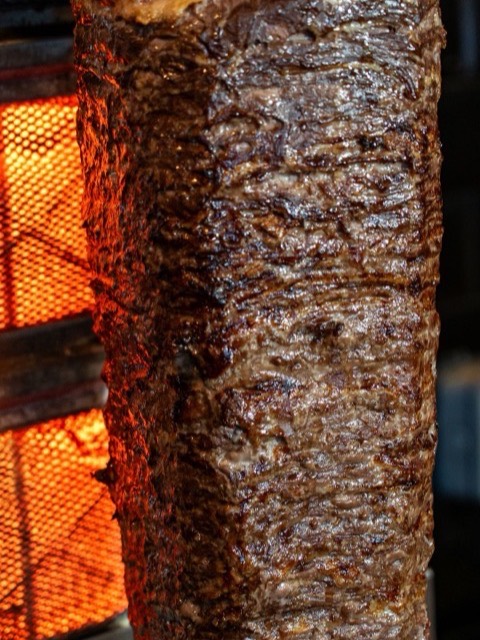
In your shop
The digital menu board – as simple as a till.
Behind the counter every minute counts. That is why your side of Vizora is deliberately simple: you pick and change what has been prepared for you – we take care of the rest.
- Operate, don't design. Change a price, swap a photo, show an offer – with a tap or two.
- From your phone. Everything works on a smartphone too – no app, right in the browser.
- Designed by professionals. We design your boards – or unlock design for you if you would rather do it yourself.
From your request to your first board
How getting started works.
-
Send a request
Use the form below or send an e-mail. Your name and e-mail address are all we need.
-
Demo and quote
We show you Vizora with templates for your trade, go through screens and box with you and tell you the price – with no obligation.
-
We set up, you plug in
We create your account and prepare your boards. You plug the box into the screen and type in the code it shows. In the Rhein-Main area we mount the screen and the box for you on request.
-
Off you go
You change prices and offers on your phone: tap “Publish” – and it is on screen in about a second.
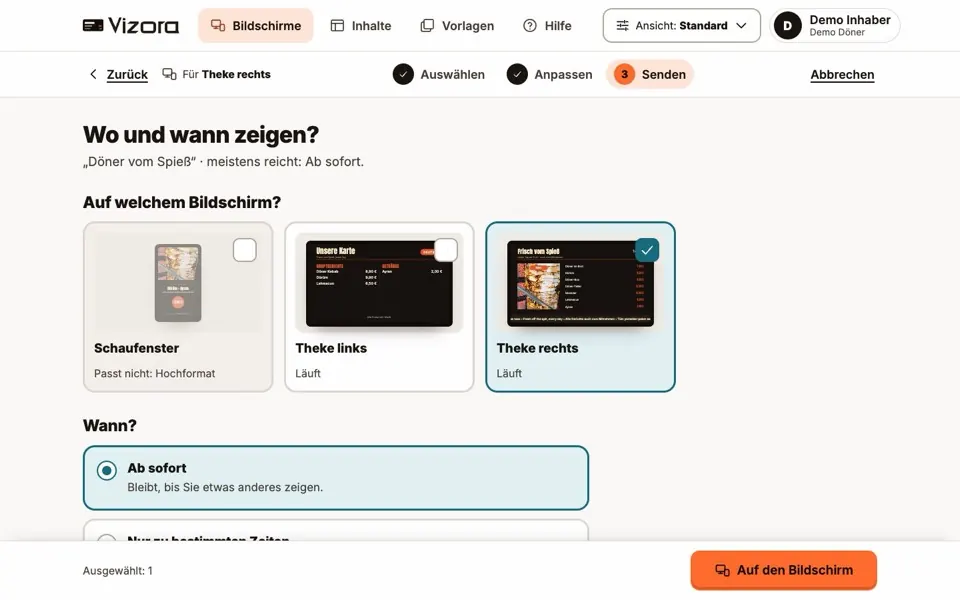
Industries
Digital signage for your trade.
Ready-made templates for digital menu boards, price lists and shop windows – from the kebab shop to the estate agent.
In the shop and in the window – your advertising faces the street even after closing time. More about shop window screens
-
Dürüm + ayran
€8.90
Lahmacun with salad
€6.00
Faces the streetTakeaway & kebab
Menu with prices, meal deals and today's special.
-
Coffee + croissant
€3.90
Breakfast
from 7 am
Faces the streetCafé & bakery
Breakfast in the morning, lunch at noon – all by itself.
-
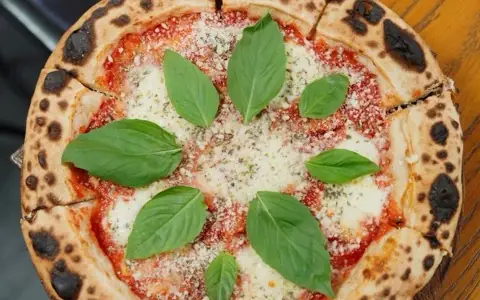
Pizza Margherita
€9.50
Lunch menu Mon–Fri
€11.90
Faces the streetRestaurant & pizzeria
Menu, lunch specials, drinks and the chef's recommendations.
-
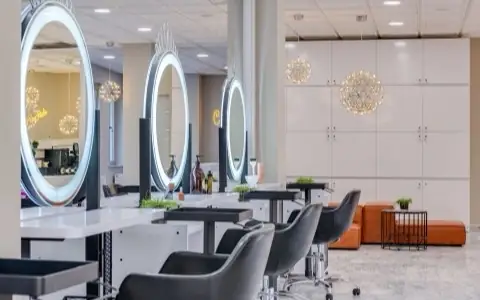
Men’s haircut
€22
Beard trim
€12
Faces the streetHairdresser & barber
Price list, services and current offers.
-
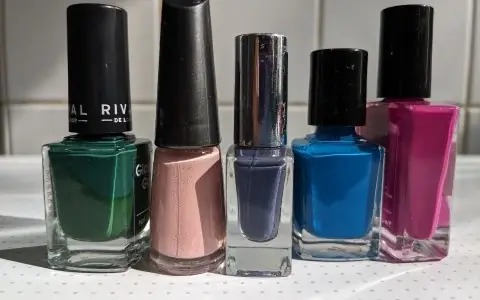
Manicure
€29
Gel polish
€39
Faces the streetBeauty & nail studio
Treatments and prices – in the salon and in the window.
-
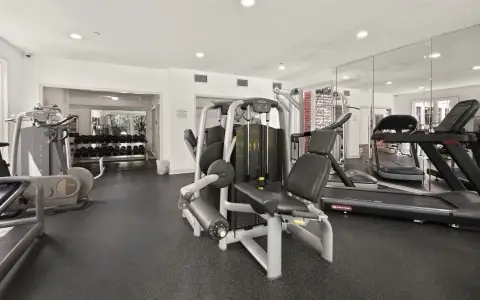
Trial session
free
Evening yoga
18:30
Faces the streetFitness & yoga
Class timetable, offers and notices at reception.
-
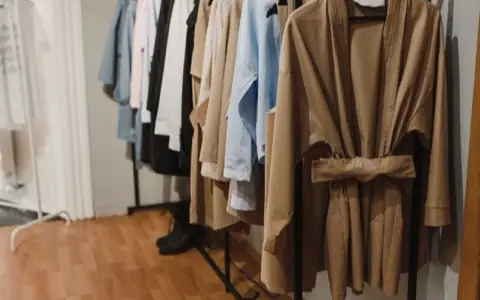
New collection
Sale
−30%
Faces the streetFashion & boutique
New collection and sale – big in the shop window.
-

Bouquet of the day
€14.90
Tulips, bunch of 10
€6.90
Faces the streetFlowers & plants
Seasonal offers and the bouquet of the day.
-
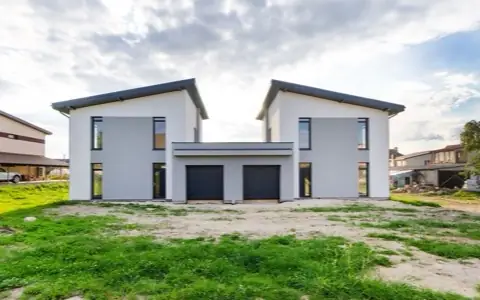
Family house
5 rooms · 142 m² · garden
€489,000
Flat with balcony
3 rooms · 78 m²
€1,150 a month
Faces the streetReal estate
Properties in the window – visible around the clock.
-
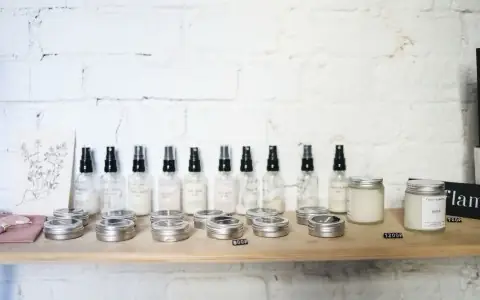
Sun care
−20%
Open
Mon–Sat 8 am–7 pm
Faces the streetPractice & pharmacy
Notices, opening hours and offers in the waiting area.
-
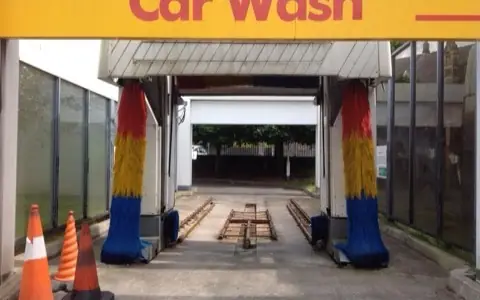
Premium wash
€14.90
Interior cleaning
from €19
Faces the streetGarage & car wash
Workshop prices, tyre changes and wash programmes.
-
Rooms available
Breakfast
7–10 am
Faces the streetHotel & guesthouse
A welcome, breakfast times and the weather for your guests.


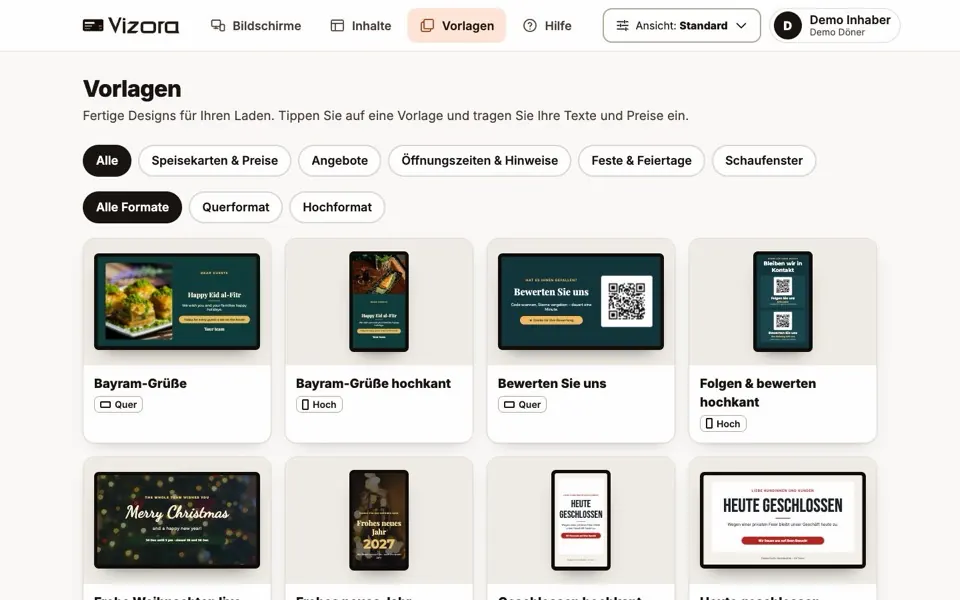
Templates
More than 100 ready-made templates – for your trade and every occasion.
You never start from scratch: menus, price lists, offers, opening hours, festivals and holidays. Pick a template, type in your words and prices – done. Every board is made for landscape or portrait screens and can be read from several metres away.
Templates for these trades
- Takeaway & kebab
- Café & bakery
- Restaurant & pizzeria
- Bar & wine
- Hairdresser & barber
- Beauty & nail studio
- Fitness & yoga
- Fashion & boutique
- Flowers & plants
- Grocery & deli
- Kiosk & corner shop
- Music shop & instruments
- Estate agents
- Garage & car wash
- Practice & pharmacy
- Hotel & guesthouse
Plus boards for every trade and the whole year: Ramadan, Eid (Ramazan and Kurban Bayramı), Christmas, New Year’s Eve, Easter, Black Friday and more.
Boards that think ahead
More than a poster: boards that change by themselves.
At the right time, on the right day – without anyone having to remember. We set the times up with you once, when we set up your account.
-
Open or closed
The board says “Open” or “Closed” at the right time – and when you will be back for your customers.
-
A dish of the day for every weekday
Monday’s dish on Monday, the next one on Tuesday: entered once, the board changes every day by itself.
-
Happy hour and times of day
Happy hour from 5 to 7 pm, breakfast in the morning, cake in the afternoon – picture, words and price change with the clock.
-
Countdown
“12 days to go” until the opening or the sale day – the board counts down by itself.
-
Pick-up numbers
“Ready to collect: 41, 42” – typed in at the counter, on the screen in seconds.
-
Free today
The day’s free appointment slots for salons and studios – typed in at reception, “Fully booked” with one tap.
-
Menu by QR code, reviews, WhatsApp
A QR code puts your menu on your guests’ phones, leads to your reviews or opens a WhatsApp chat for ordering ahead.
-
Pharmacy night service
“We are on duty tonight” or which pharmacy is – switched with one tap, with the emergency numbers.
Features
Everything your screens need. Nothing in the way.
-
Live prices from your product list
Your prices are linked to your product list. Change one once, and every board shows the new price – in every language and every branch.
-
On screen in a second
Tap Publish – and the change is on screen in about a second.
-
Always full screen
A board only plays on screens whose format it fits – landscape or portrait. No black bars.
-
German, Turkish, English
One board in three languages that take turns on the screen. So every guest understands you.
-
Photos and videos
Show your products as they really look – as a photo, or moving in a video.
-
Clock, countdown, QR code
Boards show the time, a countdown or a QR code. Weather and news are switched on by us on request.
-
Breakfast, lunch, evening
Set once what runs when. The screens switch at the right time by themselves.
-
Show a promotion for a while
A promotion takes over the screens for a set time – then everything goes back by itself.
-
Runs without internet
If the internet goes down, your screens simply keep showing what they last received.
-
Video walls
Several screens show one big picture together. We switch the video wall on for you when you plan one.
-
From the phone behind the counter
No computer needed: Vizora runs in the browser, on a smartphone just as on a PC.
-
Bring back earlier versions
Changes are saved automatically. An earlier version of a board can be restored at any time.
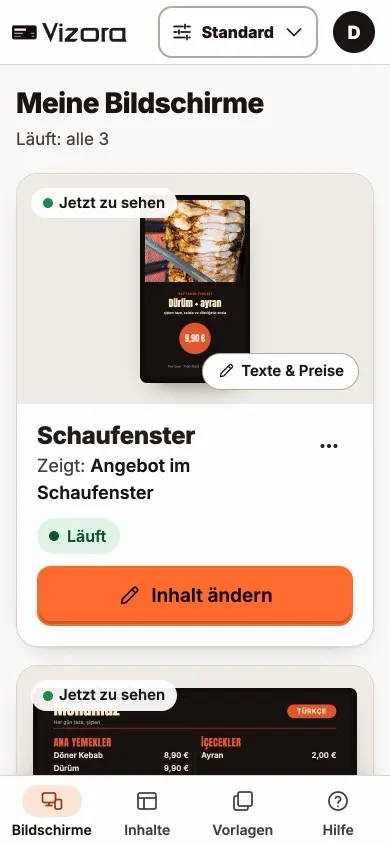
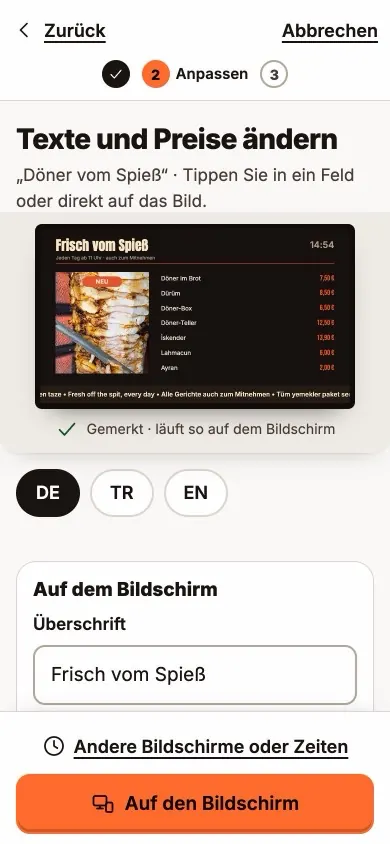
From your phone
This is how simple Vizora looks on your phone.
The standard view is large, bright and limited to what matters: your screens, your content, templates and help. No app – right in the browser.
- My screens. Every screen with what it is showing right now – and whether it is running.
- Words & prices. Type, see straight away how the board looks, and send it with “To the screen”.
- Photos straight from your phone. Take a photo of your dish, and Vizora brings it to the right size.
- For those who design themselves. On request we unlock the editor: drag layers into order, align, distribute and group, plus zoom, grid and safe margin.
For chains and multi-branch businesses
Ten branches feel like one.
One panel for head office, clear rights for every branch – and every change logged with a name.
- Every branch in one panel. Every screen in every branch, sorted by branch – and at a glance whether it is running.
- For all, or for some. One promotion for the whole chain, another for a single branch – choose screens by name, branch or tag.
- One price for every branch. Your product list covers the whole chain: a new price appears on every board that shows the product.
- Promotions with an end date. The weekend offer runs from Friday to Sunday and then disappears by itself.
- Roles for head office and branches. You decide who only looks, who changes prices and who sends to the screens – with your own roles too, such as “Branch manager”.
- “My rights”. Everyone in the team sees in plain words what their account may do.
- Every change with a name. The log shows who changed what; earlier versions can be restored.
Security
Security in plain words.
What we do so that your screens only show what you want – and your data stays protected.
-
Servers in Germany
Vizora runs on servers in a data centre in Nuremberg. Your data stays in the EU.
-
Two-factor sign-in
If you wish, Vizora also asks for a code from an app on your phone when you sign in. A stolen password alone is then not enough.
-
No open sign-up
Nobody can create an account on their own: we set Vizora up for your business. Vizora refuses the most commonly used passwords.
-
Clear rights, clear log
Everyone in the team gets only the rights they need. What was changed is in the log, with a name.
-
Our own team is logged too
Every action of the Vizora team is recorded without gaps. If one of us enters your account without you asking, the reason is written in your log.
-
Protected by Cloudflare
Access to Vizora runs through Cloudflare, a protection service against attacks and overload. The connection is encrypted.
-
Checked every week
A security report is produced every week, and the software behind Vizora is checked for known vulnerabilities several times a day.
-
Backed up every night
A backup is made every night. Once a month we check automatically that it can be restored.
-
No camera, no counting
Vizora only shows. There is no camera, and nobody in front of the screen is counted or recorded.
Hardware
Your screen, our box.
Vizora needs no expensive special equipment: a screen with an HDMI port – often the one already on your wall will do – and the small Vizora box behind it. The box is set up for good, quiet, and remembers everything, even when the internet is briefly gone.
- Connect the box, type in the code, done.
- No suitable screen? On request you get screen and box from one source – in the Rhein-Main area mounted as well.
- For a video wall or especially demanding jobs: a mini PC. A Raspberry Pi on request.
- Which box suits your shop, we work out together before you start.
Frequently asked questions
Good to know.
Do I need technical knowledge?
No. You pick what has been prepared for you and change prices, text and pictures – as simply as at the till. We design your boards; if you like, we unlock design for you too.
Which screens and devices do I need?
A screen with an HDMI port and the small Vizora box behind it. On request you get the screen and the box from us, and in the Rhein-Main area the mounting too – all from one source. Or you use the screen you already have; often your TV will do. For a video wall there is a mini PC, and a Raspberry Pi on request. Which box suits your shop, we work out together before you start.
Who connects the box?
You can do it yourself: plug the box into the screen’s HDMI port and into the socket, then type in the code the screen shows. We set up your account and your boards beforehand. If you need help mounting or connecting, just ask us.
What happens if the internet goes down?
Your screens keep showing what they last received – scheduled switches such as breakfast and lunch carry on too. As soon as the connection is back, new changes arrive.
How quickly does a change reach the screen?
Usually about a second after you publish – on every screen you chose.
Do the boards also change by themselves?
Yes. A board can say “Open” or “Closed” at the right time, show a different dish of the day on each weekday, or the happy hour from 5 to 7 pm. We set the times up with you once, when we set up your account.
Can I run several branches from one place?
Yes. All screens of all branches are in one panel. You send a promotion to every branch or just one, and decide who in the team may do what – for example, that branch managers may change prices but not send anything.
Can I just sign up myself?
No, on purpose. We set Vizora up for your business and give you your access. You can then invite your staff yourself.
How secure is Vizora?
Nobody can create an account on their own, sign-in can be secured with a second code from your phone, and every change is logged with a name. Access runs through the protection service Cloudflare, and a backup is made every night.
Where is my data stored?
On servers in Germany (Nuremberg), so within the EU.
Which languages does Vizora speak?
Your boards can show German, Turkish and English and switch between them. You can also use Vizora itself in German, Turkish or English.
What does Vizora cost?
That depends on how many screens and branches you have. Just ask for a quote with no obligation – prices are available on request.
Is there a minimum term, and how do I cancel?
We go through the term and cancellation with you before you start – just ask us. Your request comes with no obligation.
How do I get help if something does not work?
By e-mail to info@provizora.de. In Vizora itself, “Help” has answers for every page.
Demo and quote
See Vizora with your own shop.
Tell us briefly what you would like to show. We will get back to you, show you Vizora with templates for your trade and give you a price for your screens – with no obligation.
Prefer email? info@provizora.de
Already a customer? Sign in here
Who is behind Vizora
Vizora is a brand of ProVizora, Ostparkstraße 11, 60314 Frankfurt am Main, Germany.
- Servers in Germany, in a data centre in Nuremberg
- No open sign-up: we set up every account ourselves
- This website sets no cookies and loads nothing from other servers
Impressum · Datenschutz (in German)